
Logitech MX Master 3S: The Ultimate Productivity Powerhouse Redefining Precision
Introduction
The Logitech MX Master 3S is not just another wireless mouse—it’s a meticulously engineered tool designed for professionals, creatives, and power users who demand precision, comfort, and seamless workflow integration. As the latest iteration in Logitech’s acclaimed MX Master series, the MX Master 3S builds on its predecessors’ legacy while introducing groundbreaking upgrades. In this comprehensive review, we’ll dive deep into its design, features, performance, and why it’s a game-changer for productivity enthusiasts.
Design and Build Quality of the Logitech MX Master 3S
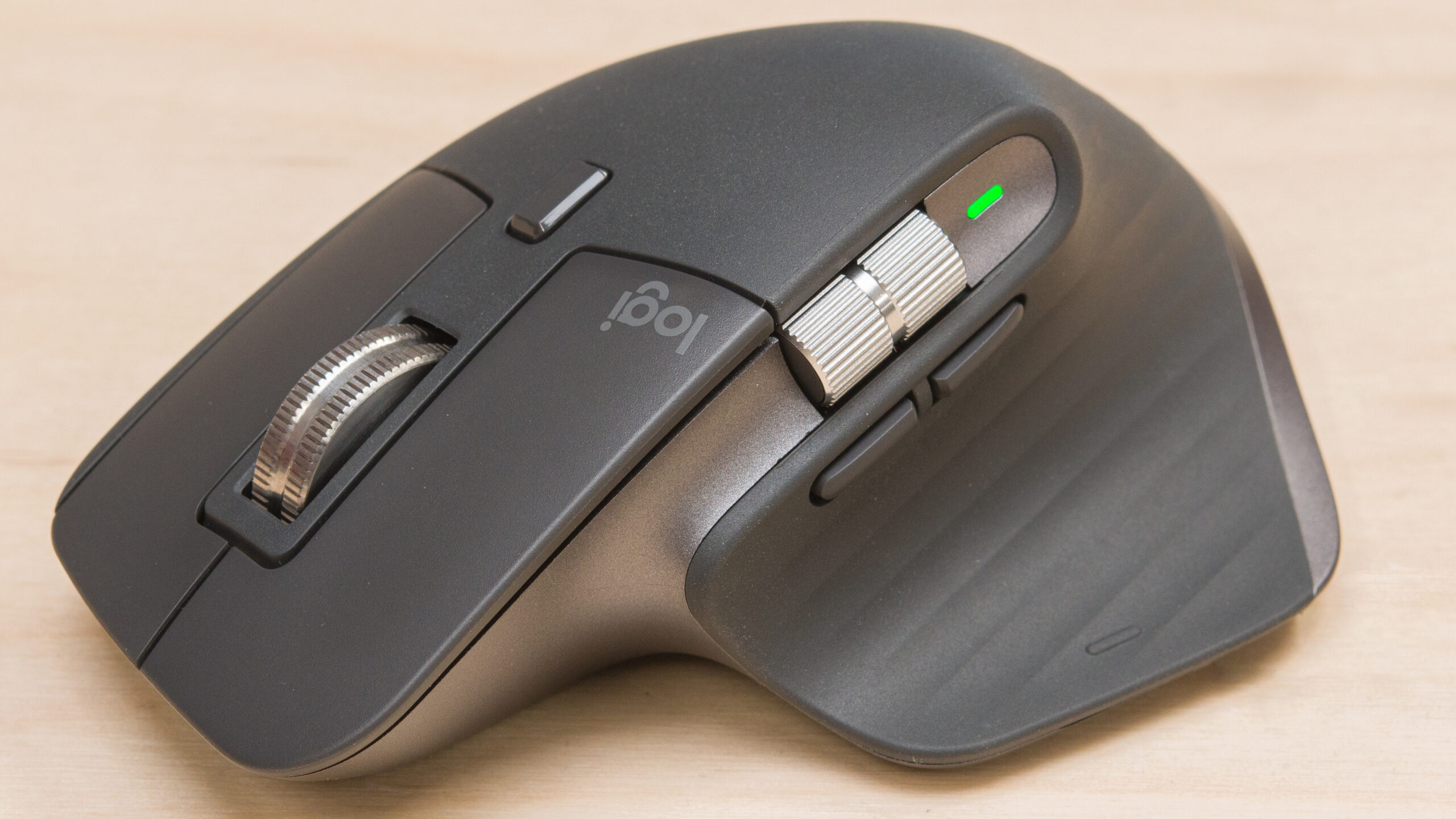
The Logitech MX Master 3S boasts an ergonomic, right-handed design tailored for extended use. Its contoured shape supports a natural palm grip, reducing wrist strain during marathon work sessions. Crafted with premium materials, including a soft-touch silicone coating and matte-finish plastic, the mouse feels sturdy yet lightweight (141g).
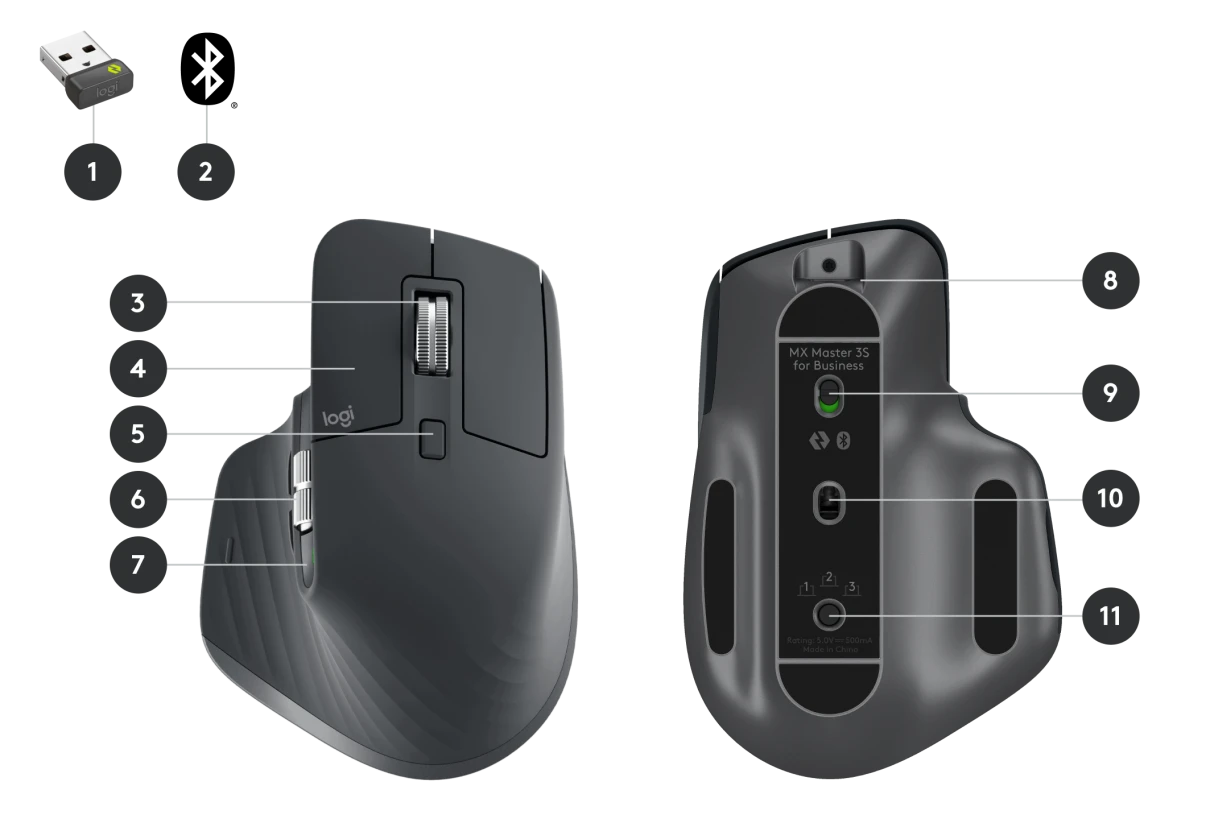
Key design highlights:
- Thumb Rest: Sculpted to cradle your thumb, with a textured surface for grip.
- Tactile Scroll Wheel: Made from stainless steel, it combines durability with precision.
- Ambidextrous? No—this mouse is optimized for right-handed users.
Logitech offers the MX Master 3S in two colorways: Pale Gray and Graphite. Both exude a professional aesthetic suitable for office and creative environments.
Advanced Features of the Logitech MX Master 3S
1. MagSpeed Electromagnetic Scroll Wheel
The star feature of the Logitech MX Master 3S is its MagSpeed scroll wheel. Using electromagnetic technology, it toggles seamlessly between hyper-fast scrolling (1,000 lines per second) and precise ratcheted mode. Ideal for navigating long documents or spreadsheets.
2. Silent Clicks with 90% Noise Reduction
Logitech upgraded the MX Master 3S with “Quiet Clicks,” reducing click noise by 90%. Perfect for shared workspaces without sacrificing tactile feedback.
3. 8K DPI Darkfield Tracking
The Logitech MX Master 3S features an 8,000 DPI optical sensor with Darkfield technology. It tracks flawlessly on virtually any surface—even glass—making it a versatile companion for on-the-go professionals.
4. Multi-Device Connectivity
Pair the MX Master 3S with up to three devices via Bluetooth or Logi Bolt USB receiver. Switch between devices instantly with the press of a button.
5. Customizable Buttons and Gestures
Seven programmable buttons and a thumbwheel allow extensive customization. Use Logitech’s Options+ software to assign shortcuts, macros, or app-specific commands (e.g., Photoshop brush adjustments). The thumb gesture button enables horizontal scrolling or app switching.
6. Flow Cross-Computer Control
Logitech’s Flow technology lets you control multiple computers (Windows/macOS) with one mouse. Drag files between devices effortlessly—a boon for multi-system users.
7. Long-Lasting Battery
The MX Master 3S delivers up to 70 days on a full charge (USB-C charging). A 1-minute quick charge provides three hours of use.
Performance and User Experience
In testing, the Logitech MX Master 3S excels in real-world scenarios:
- Productivity: The ergonomic design and MagSpeed scroll wheel make document navigation and coding sessions effortless.
- Creative Work: Customizable buttons streamline tasks in Adobe Suite, DaVinci Resolve, or CAD software.
- Multi-Tasking: Flow technology eliminates the need for multiple peripherals when juggling devices.
The mouse’s low-latency connectivity ensures no lag, even in high-speed workflows.

Logitech MX Master 3S vs. Competitors
Compared to rivals like the Microsoft Surface Precision Mouse or Razer Pro Click, the Logitech MX Master 3S stands out with:
- Quieter clicks
- Superior scroll wheel mechanics
- Darkfield tracking on glass
- Longer battery life
Pros and Cons
Pros:
- Unmatched ergonomic comfort
- Silent, tactile clicks
- MagSpeed scroll wheel is a productivity beast
- Seamless multi-device control
- Durable, premium build
Cons:
- Pricey compared to basic mice
- Not ideal for left-handed users
- Heavier than gaming mice (may not suit FPS gamers)
Final Verdict: Is the Logitech MX Master 3S Worth It?
Absolutely. The Logitech MX Master 3S is a top-tier productivity mouse that justifies its premium price tag. Its ergonomics, customizable features, and seamless cross-device integration make it a must-have for professionals. While casual users might find it overkill, power users will appreciate its precision and versatility. By combining cutting-edge technology with user-centric design, the Logitech MX Master 3S solidifies its position as the gold standard for productivity peripherals. Whether you’re editing videos, crunching data, or managing workflows across devices, this mouse is engineered to elevate your efficiency.